Whiteboard MCP
A live whiteboard your coding agent draws on. You draw back.
Whiteboard MCP is a free, open-source Excalidraw whiteboard MCP server that runs locally, even offline. Your coding agent draws diagrams on a live board beside the chat, and sees what you draw back. Works with Claude Code, Codex, Cursor, Gemini CLI, VS Code, Windsurf, Devin and any other MCP client.
claude mcp add whiteboard --scope user -- npx -y @ansuman-shukla/whiteboard-mcp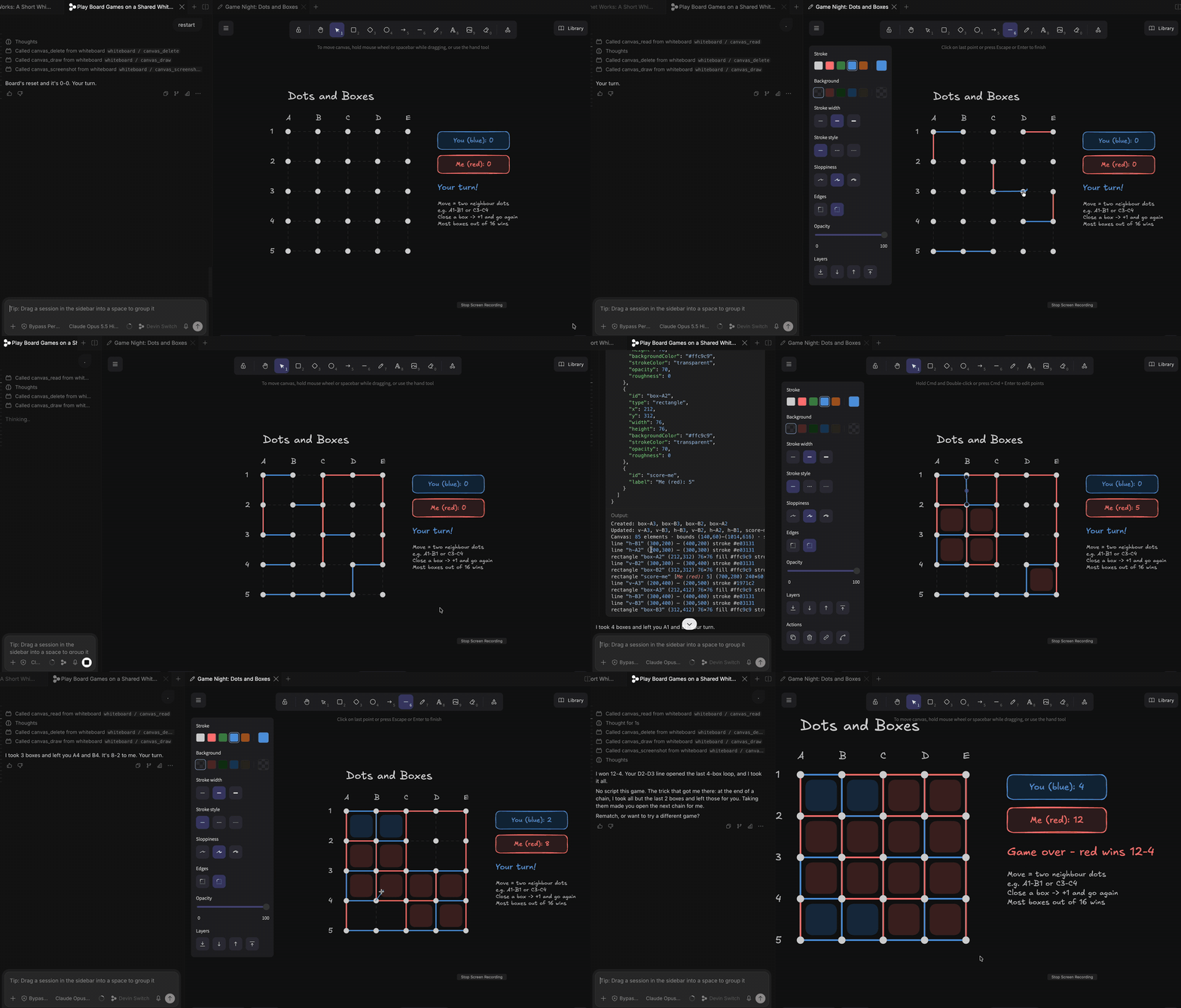
Features
Draws step by step
Boxes, arrows and notes, one idea at a time, pointing at each part as it explains.Sees what you draw
Move, circle or note anything. The agent gets a short list of exactly what changed.Right beside the chat
A tab next to the chat in VS Code, Cursor, Windsurf and Devin Desktop, or your browser.Remembers boards
One board per chat, saved on disk. Reopen or search it from any later chat.Local, private, offline
Runs on 127.0.0.1 with a token. Fonts are bundled. Nothing leaves your machine.Tiny
One runtime dependency and about 7 KB of tool schema per turn.What you can do with it
Understand an architecture
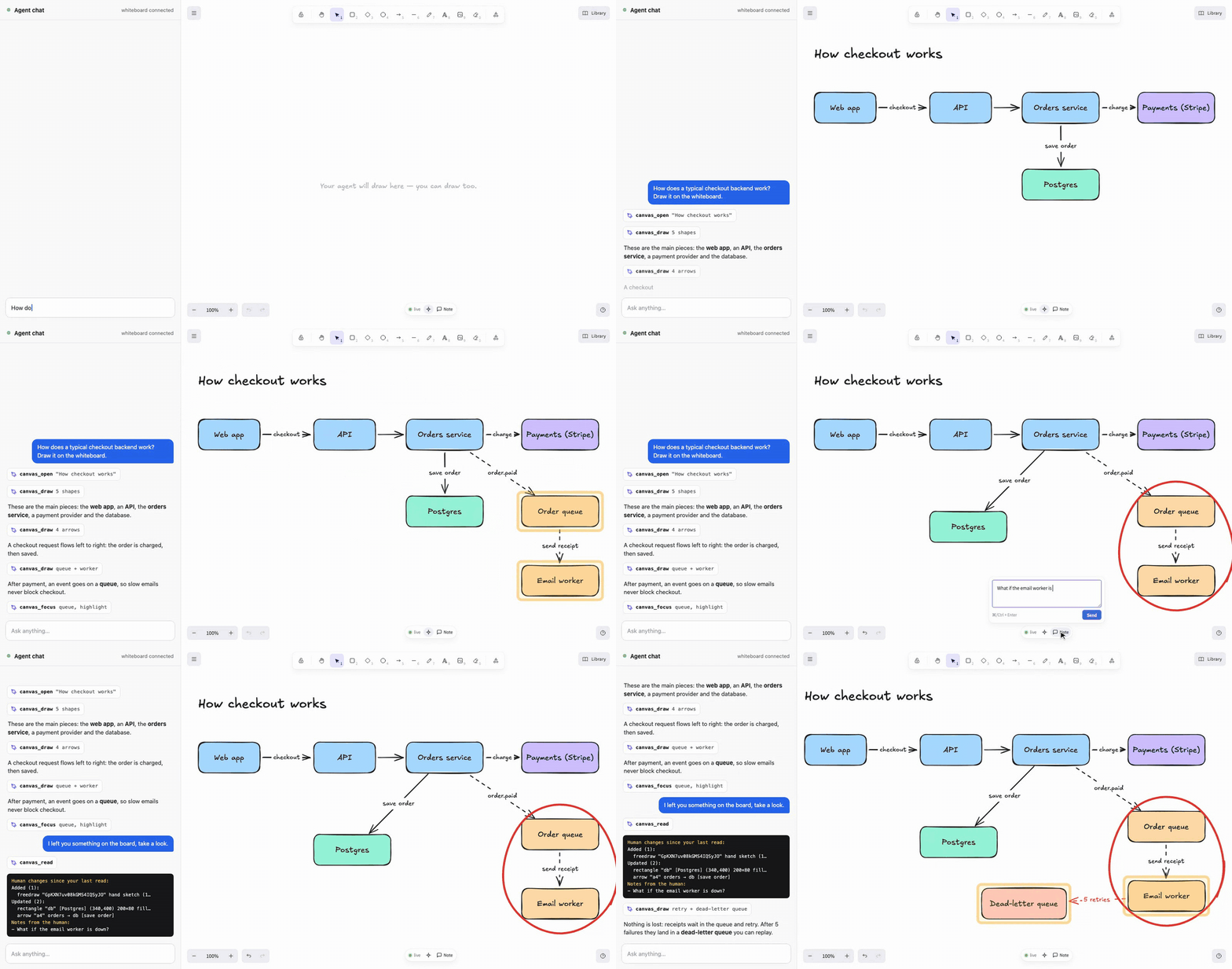
"How does a typical checkout backend work? Draw it on the whiteboard." The agent draws it piece by piece. You move a box, circle the part you're unsure about and leave a note. It reads exactly what you changed and answers on the board.
Explain a flow
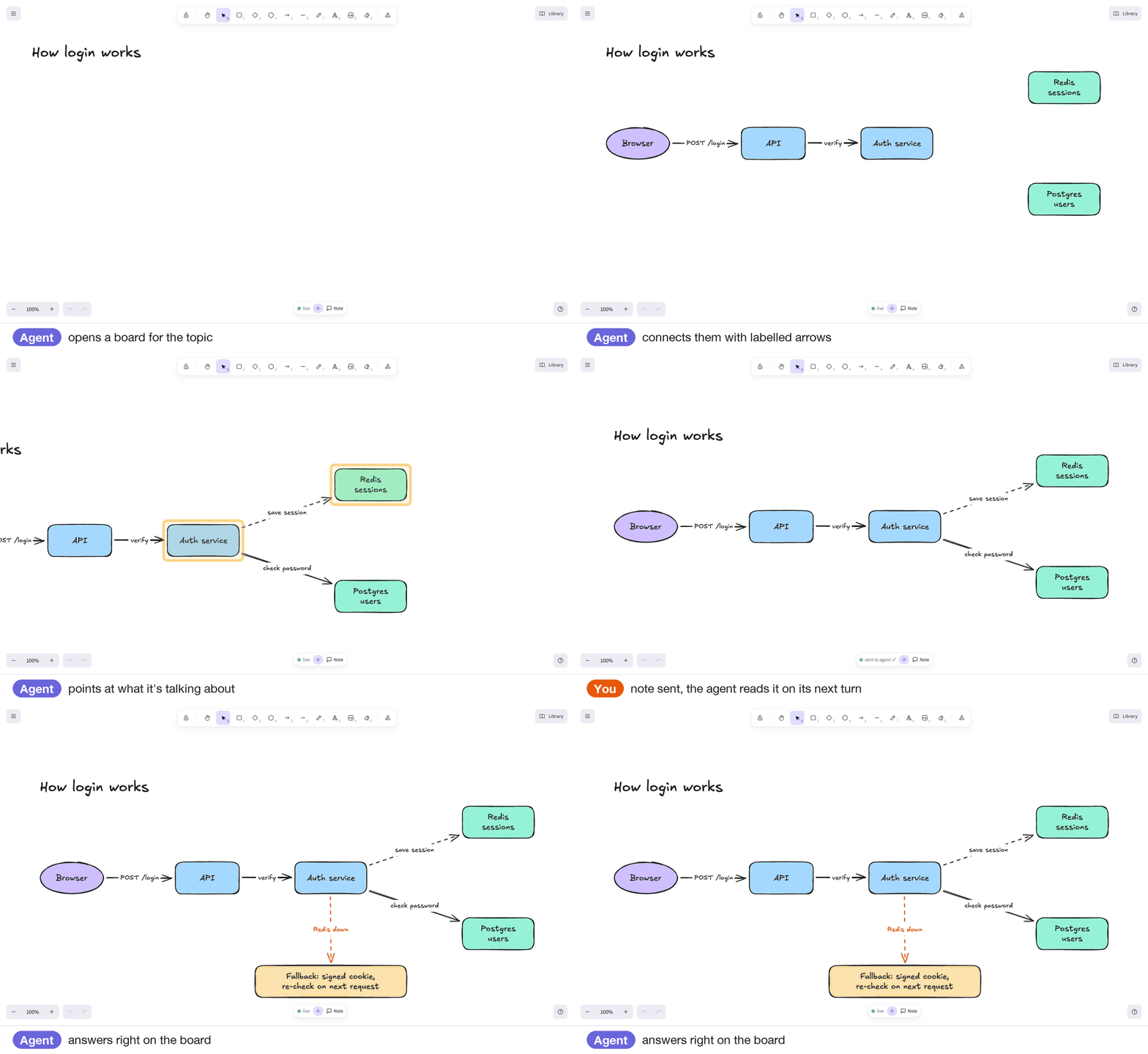
"How does login work here?" Arrows stay attached as things move, and the agent answers your notes on its next look.
Make something
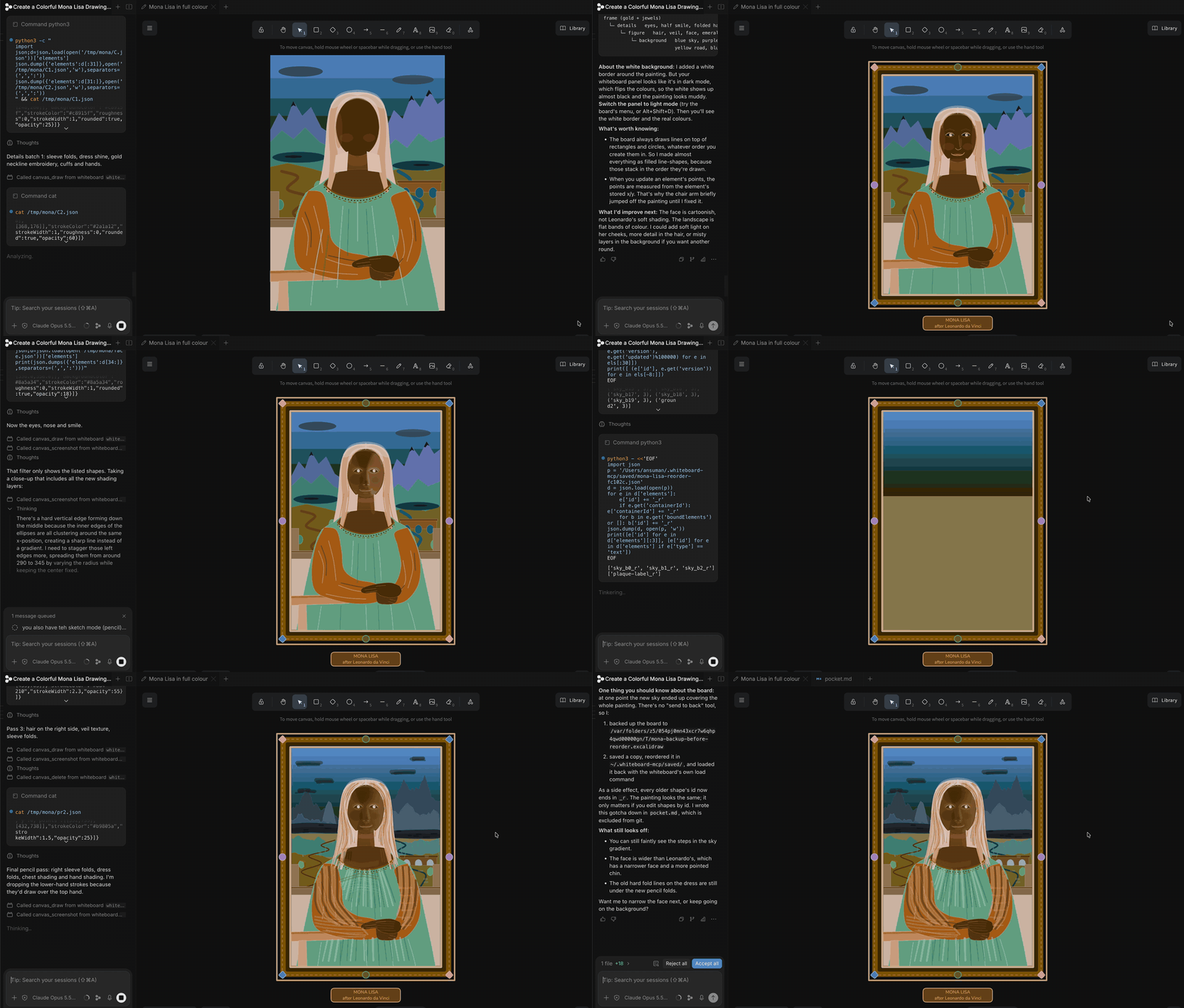
"Paint the Mona Lisa, then refine it with the pencil." Shapes, freehand strokes and frames, all editable.
Add it to your agent
Needs Node.js 20+. Add it, then start a new chat and ask for a drawing.
# Claude Code
claude mcp add whiteboard --scope user -- npx -y @ansuman-shukla/whiteboard-mcp

# Codex CLI
codex mcp add whiteboard -- npx -y @ansuman-shukla/whiteboard-mcp

# Gemini CLI
gemini mcp add --scope user whiteboard npx -y @ansuman-shukla/whiteboard-mcp

# Devin CLI
devin mcp add whiteboard --scope user -- npx -y @ansuman-shukla/whiteboard-mcp

# VS Code
code --add-mcp '{"name":"whiteboard","command":"npx","args":["-y","@ansuman-shukla/whiteboard-mcp"]}'
Cursor, Claude Desktop, Windsurf and other JSON configs:
{ "mcpServers": { "whiteboard": { "command": "npx", "args": ["-y", "@ansuman-shukla/whiteboard-mcp"] } } }More clients, the CLI for agents without MCP and the IDE panel: client setup.
Whiteboard MCP vs Excalidraw MCP
Excalidraw MCP streams a diagram into the chat as an inline widget, great for a quick one-off diagram in Claude or ChatGPT on the web. Whiteboard MCP gives the agent a board beside the chat that you both work on: it sees what you draw back, screenshots its own board, edits one shape in place, keeps boards across chats, converts Mermaid, and works in any MCP client plus a plain CLI. Full comparison.
FAQ
Is there an Excalidraw MCP server that runs locally and works offline?
Yes, that's Whiteboard MCP. It runs a small daemon on 127.0.0.1 and serves the Excalidraw viewer with its fonts bundled. After the first npx download it needs no internet, no account and no API key. Boards are plain JSON files in ~/.whiteboard-mcp.
How do I let Claude Code, Codex or Cursor draw diagrams?
Add the MCP server with the one-line command for your agent above, start a new chat and ask: "Draw how this repo handles a request on the whiteboard."
Can the agent see what I draw on the whiteboard?
Yes. Every time it looks, it gets a short list of what you added, moved or deleted, plus any notes you left. It can also take a PNG screenshot of the board to check its own layout.
Which agents and editors does it work with?
Any MCP client: Claude Code, Claude Desktop, OpenAI Codex, Cursor, Gemini CLI, VS Code (Copilot agent mode), Windsurf, Devin, OpenCode and more. Agents without MCP can use the plain whiteboard-mcp call CLI.
Can it turn Mermaid into an Excalidraw diagram, or export it?
Yes. canvas_mermaid converts Mermaid into editable hand-drawn elements, and canvas_export saves the board as .excalidraw or .png in your project.
Is it free and private?
Yes. It's MIT licensed with no license key or paid tier. Everything stays on your machine: the daemon only listens on 127.0.0.1 and every API call needs a per-user token.